iPhone: Basics Made Simple for Seniors is a practical guide created to help older adults understand and use essential iPhone features with greater confidence. Dr. Thomas L. Altshuler explains everyday tasks through clear instructions, real screen examples, helpful visuals, and simple steps. Readers can learn how to navigate the Home Screen, manage contacts, make and receive calls, send messages, organize appointments, take photos and videos, browse the web, use Siri, adjust settings, and recognize common scam warning signs.
Modern smartphones can be incredibly useful, but learning how to use them can feel complicated when instructions assume too much technical knowledge. iPhone: Basics Made Simple for Seniors was written to provide a clearer and more practical way to understand the iPhone.
Dr. Thomas L. Altshuler focuses on the functions seniors are most likely to use in everyday life. The guide explains how to turn the iPhone on and off, understand the Home Screen, recognize important icons, manage contacts, make and receive telephone calls, read and send messages, and use the Calendar to organize appointments.
The book also introduces useful features such as taking photographs and videos, viewing and sharing images, browsing the internet with Safari, using Google Search, asking Siri for information, and changing important settings. Each topic is supported by screenshots and visual examples that help readers recognize what should appear on their own device. A particularly useful part of the guide is its focus on online safety. Dr. Altshuler warns readers about suspicious websites, requests for personal information, demands for money, fear tactics, and messages designed to create urgency. He encourages readers to verify suspicious communications directly with the organization involved before taking action. Written especially for seniors, the manual is designed to be kept nearby as a practical reference. Dr. Altshuler encourages readers to explore their iPhone, become familiar with its features, and build confidence through regular use. The goal is not to teach every function available, but to make the most useful parts of the iPhone easier to understand and more comfortable to use in everyday life.
This guide made my iPhone much less confusing. The instructions are clear, the visuals are helpful, and I was able to follow the steps without feeling overwhelmed.
A very practical book for seniors who want simple instructions. I especially liked how it explains everyday features in a way that is easy to understand.
I have tried other technology books before, but this one is much easier to use. It helped me feel more comfortable with my phone and less afraid of making mistakes.
The step-by-step format is excellent. I was able to learn how to manage contacts, make calls, and use other important features without needing constant help.
This is exactly the kind of guide many seniors need. The explanations are simple, the book is well organized, and the screenshots make everything easier to follow.
I appreciate how focused this book is on useful everyday tasks. It does not overload the reader with unnecessary details and makes technology feel much more approachable.
A thoughtful and easy-to-follow guide. It helped me better understand my device and gave me more confidence using features I had avoided before.
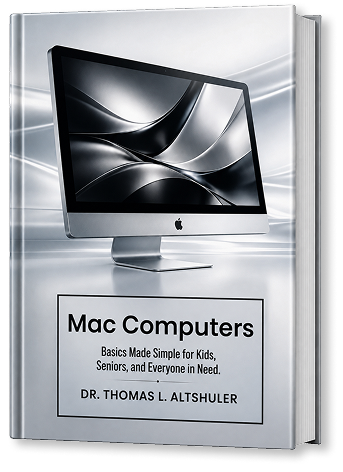
Very well done and easy to read. The clear instructions and helpful visuals make this a valuable resource for anyone who wants to learn iPhone or Mac basics at a comfortable pace.
This guide made my iPhone much less confusing. The instructions are clear, the visuals are helpful, and I was able to follow the steps without feeling overwhelmed.
A very practical book for seniors who want simple instructions. I especially liked how it explains everyday features in a way that is easy to understand.
I have tried other technology books before, but this one is much easier to use. It helped me feel more comfortable with my phone and less afraid of making mistakes.
The step-by-step format is excellent. I was able to learn how to manage contacts, make calls, and use other important features without needing constant help.
This is exactly the kind of guide many seniors need. The explanations are simple, the book is well organized, and the screenshots make everything easier to follow.
I appreciate how focused this book is on useful everyday tasks. It does not overload the reader with unnecessary details and makes technology feel much more approachable.
A thoughtful and easy-to-follow guide. It helped me better understand my device and gave me more confidence using features I had avoided before.
Very well done and easy to read. The clear instructions and helpful visuals make this a valuable resource for anyone who wants to learn iPhone or Mac basics at a comfortable pace.
A thoughtful and easy-to-follow guide. It helped me better understand my device and gave me more confidence using features I had avoided before.
I appreciate how focused this book is on useful everyday tasks. It does not overload the reader with unnecessary details and makes technology feel much more approachable.
This is exactly the kind of guide many seniors need. The explanations are simple, the book is well organized, and the screenshots make everything easier to follow.
The step-by-step format is excellent. I was able to learn how to manage contacts, make calls, and use other important features without needing constant help.
I have tried other technology books before, but this one is much easier to use. It helped me feel more comfortable with my phone and less afraid of making mistakes.
A very practical book for seniors who want simple instructions. I especially liked how it explains everyday features in a way that is easy to understand.
This guide made my iPhone much less confusing. The instructions are clear, the visuals are helpful, and I was able to follow the steps without feeling overwhelmed.
Very well done and easy to read. The clear instructions and helpful visuals make this a valuable resource for anyone who wants to learn iPhone or Mac basics at a comfortable pace.
A thoughtful and easy-to-follow guide. It helped me better understand my device and gave me more confidence using features I had avoided before.
I appreciate how focused this book is on useful everyday tasks. It does not overload the reader with unnecessary details and makes technology feel much more approachable.
This is exactly the kind of guide many seniors need. The explanations are simple, the book is well organized, and the screenshots make everything easier to follow.
The step-by-step format is excellent. I was able to learn how to manage contacts, make calls, and use other important features without needing constant help.
I have tried other technology books before, but this one is much easier to use. It helped me feel more comfortable with my phone and less afraid of making mistakes.
A very practical book for seniors who want simple instructions. I especially liked how it explains everyday features in a way that is easy to understand.
This guide made my iPhone much less confusing. The instructions are clear, the visuals are helpful, and I was able to follow the steps without feeling overwhelmed.
For many seniors, learning a new computer can feel overwhelming at first. Modern devices offer many features, but understanding where to begin is often the biggest challenge.
Learning a new computer can feel challenging, especially when technology changes faster than many people expect. For seniors moving to a Mac for the first time, knowing where to begin helps most.
Smartphones have changed the way people communicate, organize their lives, and access information. For many seniors, learning how to use these devices opens new opportunities for independence.